XMEye Pro APK Download for Android (Latest Version)
XMeye Pro is a widely used Android app in the CCTV industry, developed by Zhejiang JAIFY Co., Ltd. The app basically allows you to monitor your CCTV cameras and handle related operations through your smartphone.
XMEye Pro APK Download
You can click the button above to download and start using the app on your phone. Just so you know, the downloads we provide are completely secure and virus-free. Before sharing any download link, we test it on several different devices and run a full virus scan. So, you can trust this as a safe and secure place to download your CCTV apps.
Use of XMeye Pro App
As mentioned above, this app is used for basic CCTV monitoring as well as advanced features like PTZ controls, video playback, local recording on your phone, and receiving alarm alerts. It uses cloud technology to connect to your phone—meaning if you have a cloud-based camera, this app can easily connect to that too.
One important thing to keep in mind: this app won’t work with just any CCTV camera. It only connects to cameras that actually support it. In short, you should only download this app if the manufacturer has specifically recommended it for your camera system.
XMEye Pro APK Details
| App Name | XMEye Pro |
|---|---|
| Category | Video Monitoring & CCTV |
| Developer | JFTECH CO., LTD. |
| Latest Version | 1.4.5(G) |
| Android Requirement | Android 6.0+ |
| License | Free |
| Downloads | 5M+ |
| Package Name | com.mobile.myeye.pro |
Features of XMEye Pro App
This app is packed with some really amazing features, and you’re going to love using it. We’ve highlighted some of its key features below—taking a quick look at them will give you a great idea of what this app can actually do.
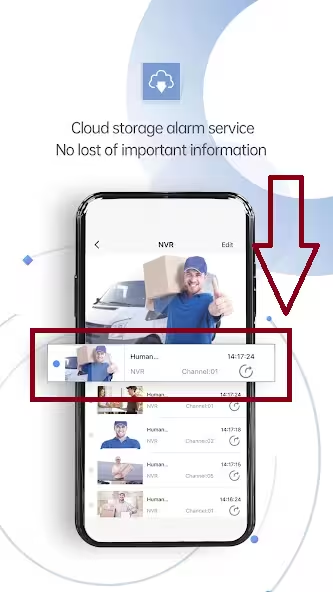
- Cloud Storage Short Video Alarm: XMeye Pro comes with cloud storage to save short video alarm clips. Whenever motion detection or a security event is triggered, the app can store a video recording of that event in the cloud, allowing you to easily review it later.
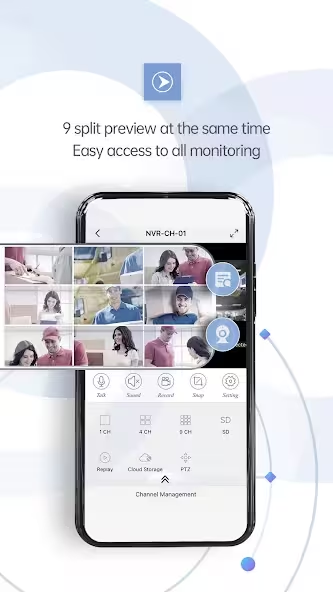
- 9-Split Live Preview: The app supports a live preview of up to 9 cameras on a single screen. This feature is incredibly useful for monitoring multiple cameras across shops, offices, warehouses, and homes all at once.
- Fast Smart Playback: It allows you to quickly search and play back recorded CCTV footage. This means you don’t have to manually sit through hours of recordings to find important clips, saving you a lot of monitoring time.
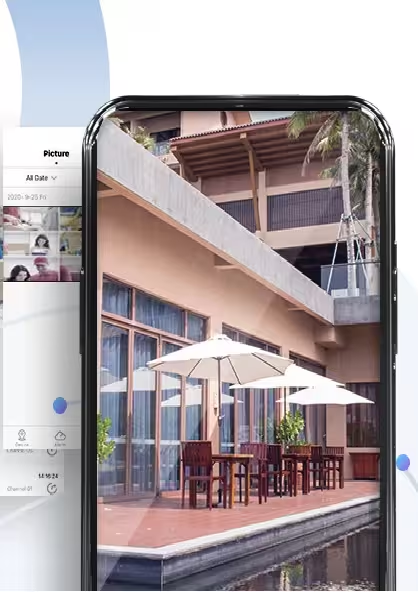
- Intelligent Query Album: XMeye Pro features a smart album that automatically organizes your recordings and snapshots. This makes it super easy for users to find the exact footage they need based on specific events, dates, or alerts.
- Real-Time CCTV Monitoring: Users can watch the live video feed from their DVRs, NVRs, and IP cameras in real-time from anywhere in the world.
- Motion Detection Notifications: The app sends instant push notifications the moment the camera detects any motion, keeping you immediately informed about any security events.
- Multi-Device Management: You can add and manage multiple DVRs, NVRs, and cameras all within a single app.
- Snapshot and Video Recording: While watching the live view, users can easily take screenshots and save important footage directly to their phone’s storage.
How to Install XMEye Pro APK
- Download the latest XMEye Pro APK file.
- Open Settings > Security on your Android phone.
- Locate the downloaded APK file.
- Tap Install and wait for completion.
- Launch XMEye Pro and sign in or create an account.
- Add your DVR/NVR using the serial number or QR code.
We’ve given you a very quick overview here on how to install the app on your mobile. However, we have covered the entire installation process in full detail in another guide. You can click the link below to check out the step-by-step installation guide, complete with screenshots.
You may also need this: Xmeye Password Reset
FAQs
Final Words
So, that’s everything you need to know about downloading the XMEye Pro app. If you run into any issues during the download or installation process, feel free to reach out to us. Thanks for stopping by, and have a great day!
Screenshots